
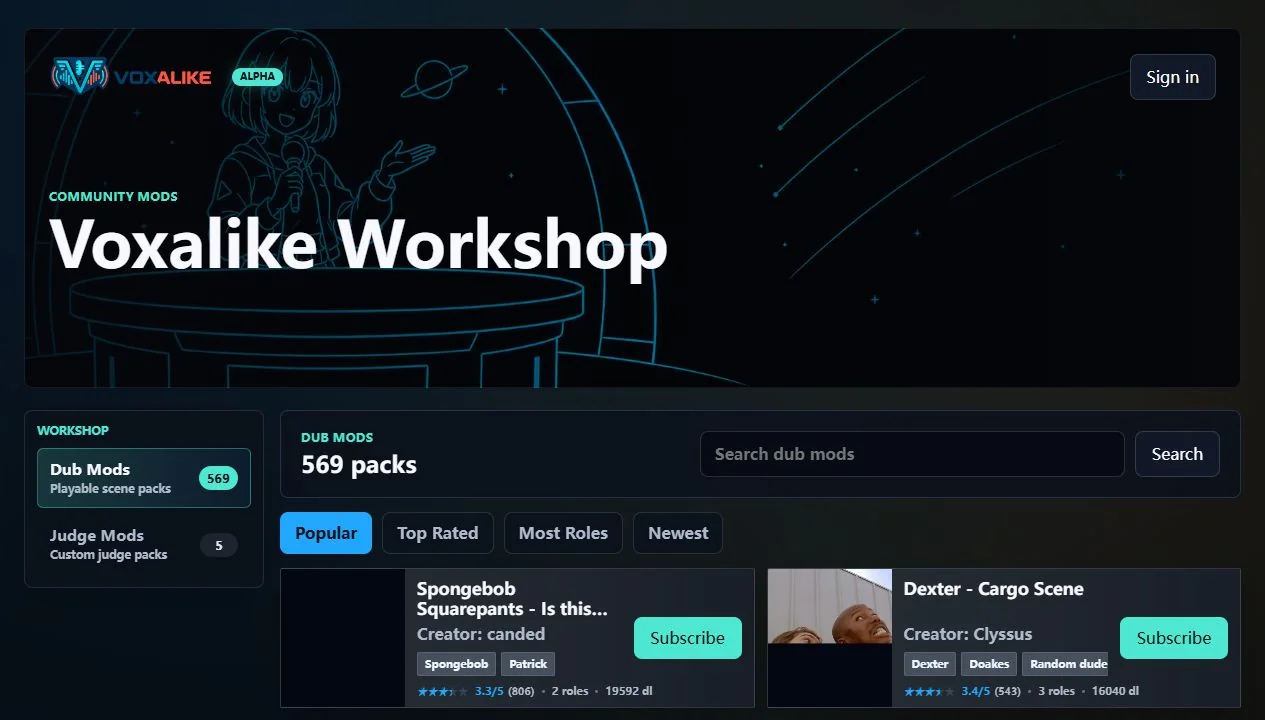
Two mod types, two different jobs
Voxalike uses Dub Mods and Judge Mods. A Dub Mod, often presented to players as a Dub Pack, contains the scene and line data you perform. A Judge Mod changes the presentation around the score reveal with its own images, sounds, and feedback. It does not replace the scene and does not change scoring or gameplay.
Most players should install a Dub Pack first. Judge Mods are optional presentation themes that make more sense after the core recording loop works.
Workshop subscription is not the installed file
The most important distinction is:
- Subscribe associates a Workshop item with your Voxalike account.
- Install or sync stores the playable package in the current browser and device.
That is why a mod can appear under subscriptions but remain unavailable in a new browser. Open Mods, find the subscribed item, and wait for its files to finish downloading. Repeat this on every device or browser profile where you want to play.
Clearing site data, using private browsing, or switching browser profiles can remove access to locally stored files even though the account subscription remains. A subscription is a convenient library record, not cloud storage for every installed byte.
Install a Workshop Dub Pack
- Open the official Voxalike site and sign in if you want the subscription to follow your account.
- Open Workshop from the game or visit the Workshop listing.
- Choose a Dub Pack and review its title, revision, description, and source notes.
- Select Subscribe.
- Open Mods / Manage Dub Packs and wait for installation to finish.
- Launch Single Player and confirm the pack appears in the playable list.
- Run Mic Check before starting the first line.
If the pack is large, do not navigate away while the browser is still downloading or unpacking it. A partial install may need to be removed and installed again.
Import a local ZIP package
Use local import when a creator has provided a compatible package directly or when a private group is testing an unpublished original mod.
Keep the archive as a ZIP and use the in-game import control. Do not unpack it and select individual files unless the current game interface explicitly asks for that. Voxalike expects the package structure created for a Dub Mod, including its pack information, scene media, line assets, and timing data.
Current browser support accepts MP4 or WebM scene video. Older local OGV packages may need conversion before import. Converting a video container does not grant distribution rights to its content.
Match mods in multiplayer
Every participant needs the same playable package revision. Workshop sync can align signed-in players with the room’s matching revision. For local ZIPs, send one original archive to the whole group and do not modify or repack individual copies.
Before the host starts:
- compare the pack title and revision in the room;
- wait until every installation is complete;
- ask each player to open the pack once locally if there is doubt;
- run Mic Check, then Ready Up.
If one player sees a mismatch, remove their local copy and install or import the same source package again. A renamed archive is not necessarily the same revision.
Update or remove a mod safely
Finish and download any active result before changing its mod. A recent multiplayer dub may require the exact revision to render again, so deleting or replacing the pack can remove that recovery path.
For a Workshop update:
- Leave the active room.
- Save any completed result.
- Open Mods and let the new revision sync completely.
- Ask multiplayer guests to sync the same revision.
- Create a fresh room after everyone can open the updated pack.
To remove a mod, use Voxalike’s own uninstall or remove control. Browser settings that erase all site data are a blunt last resort because they can also remove other installed packs, preferences, and recent local results.
Troubleshoot a missing Workshop pack
It is subscribed but not playable
You are probably looking at the account-level subscription before browser-local installation has completed. Open Mods in the same browser profile, stay on the page, and let sync finish.
It worked on another device
Install it again on this device. Playable files do not automatically live in every browser just because the subscription follows the account.
Import rejects the package
Check that you received the original ZIP, the package has not been nested inside an extra folder, and its scene uses a currently supported browser format. Ask the creator for a fresh export rather than manually rearranging unknown files.
Multiplayer calls it a different mod
Match the exact Workshop revision or re-import the same original ZIP on all clients. Avoid mixing a Workshop download with a separately edited local build.
Check a pack before trusting it
Only install packages from creators and links you trust. A well-presented pack should identify its creator, media rights or source, version, scene length, and expected player experience. Voxalike Judge Mods deliberately reject active web content such as HTML, JavaScript, CSS, external URLs, and fonts; that separation helps keep a presentation theme focused on static assets and declared data.
For building your own original package, continue with the Dub Mod creator guide.